Generating PSID for Sales Tax Payment in Pakistan
Day 10: Generating PSID for Sales Tax Payment in Pakistan
One of the most important steps in ensuring compliance with sales tax law in Pakistan is making timely tax payments. The Federal Board of Revenue (FBR) has automated this process through the Payment Slip ID (PSID) system, which enables taxpayers to generate a unique reference number for sales tax payment. Understanding how to correctly generate and use a PSID is crucial for smooth compliance and avoiding unnecessary penalties.
This guide explains how to generate a PSID in IRIS, different modes of payment, and how to confirm successful transactions.
What is a PSID?
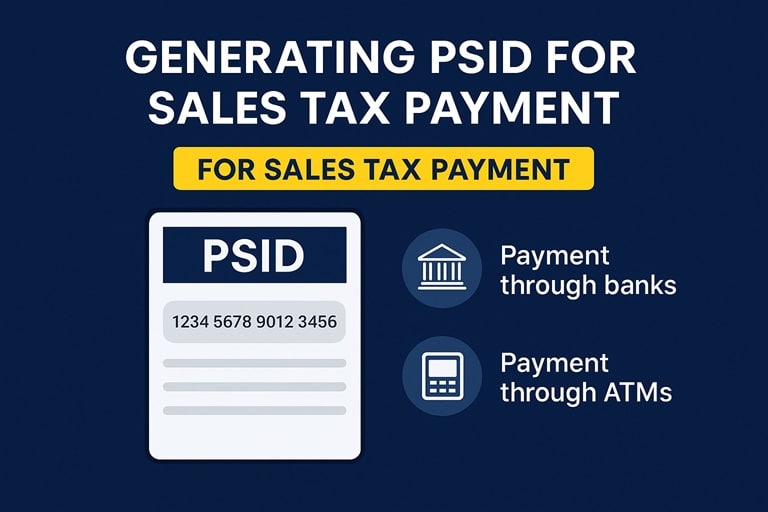
A PSID (Payment Slip ID) is a unique 17-digit number generated electronically through the FBR’s IRIS system. It links the taxpayer’s payment to their filed return or liability, ensuring that the payment is accurately recorded in the FBR database. Without generating a PSID, sales tax payments cannot be made.
How to Generate PSID in IRIS
The process of generating a PSID in the FBR IRIS portal is straightforward but must be followed carefully:
- Login to IRIS
- Visit IRIS Portal and log in using your NTN and password.
- Access Payment Section
- Navigate to ‘Payments’ in the IRIS dashboard.
- Select ‘Create Payment’.
- Select Tax Type
- Choose Sales Tax from the available options.
- Enter the relevant tax period for which payment is being made.
- System Calculates Liability
- Based on the filed return, IRIS automatically displays your tax liability.
- You can also pay additional amounts or penalties if applicable.
- Generate PSID
- Click ‘Generate PSID’.
- The system will generate a unique 17-digit number along with a downloadable PDF challan.
- Print/Save PSID
- Always save a copy of your PSID challan for your records.
Modes of Sales Tax Payment Using PSID
Once generated, a PSID can be used to pay sales tax through multiple channels:
1. Bank Branches
- Visit any designated branch of the National Bank of Pakistan (NBP) or other authorized banks.
- Provide your PSID at the counter.
- Payment is instantly updated in FBR records.
2. ATMs
- Insert your ATM card in any bank machine that supports government payments.
- Select ‘Tax Payment’ → ‘FBR Payments’ → Enter PSID.
- Confirm the liability amount and authorize payment.
3. Internet & Mobile Banking
- Log in to your bank’s online platform or mobile app.
- Choose Bill Payments → Tax Payments → FBR.
- Enter your PSID number and confirm the payment.
4. 1Link Payment System
- All banks connected through 1Link allow PSID-based payment.
- This ensures real-time settlement of your sales tax liability.
Tracking Payment Confirmation
After making the payment, you should always confirm whether the transaction has been successfully posted in FBR’s records. Here’s how:
- Check PSID Status
- Log in to IRIS → Go to ‘Payments’.
- Enter your PSID number to check if the payment is marked as ‘Paid’.
- Bank SMS/Receipt
- Most banks send SMS or email confirmations for successful tax payments.
- Always keep these for your records.
- Reconciliation with Tax Return
- Ensure the payment reflects correctly against your filed return to avoid mismatch notices from FBR.
Common Mistakes to Avoid
- Generating multiple PSIDs for the same liability.
- Entering the wrong tax period when creating PSID.
- Failing to check whether payment status is updated in IRIS.
- Waiting until the due date to make payment, risking system downtime or bank delays.
Consequences of Non-Payment or Delayed Payment
Failure to generate a PSID and pay sales tax on time can lead to:
- Late payment surcharge under sales tax law.
- Penalty notices issued by FBR.
- Suspension of tax profile for repeated defaults.
- Increased scrutiny during audits.
Timely generation and use of PSID is therefore critical for every registered taxpayer.
Conclusion

Day 10 Post FI
Generating and paying sales tax through PSID has made compliance more streamlined in Pakistan. By using IRIS, taxpayers can easily generate a PSID, pay through multiple banking channels, and confirm their transactions in real-time. However, attention to detail is essential to avoid mistakes and penalties.
For businesses, automating PSID generation and tax payment tracking as part of their bookkeeping system ensures smoother financial management and uninterrupted compliance.
Marketing Section: Bookkeeping & Tax Consultancy Services with MTF & Co. @ One Web One Hub
At MTF & Co. @ One Web One Hub, we specialize in providing comprehensive bookkeeping and tax consultancy services for businesses and individuals across Pakistan. Whether you struggle with generating PSIDs, reconciling tax returns, or managing compliance deadlines, we can help.
Our services include:
- Sales Tax Registration & Compliance
- Monthly Sales Tax Return Filing
- PSID Generation & Payment Assistance
- Bookkeeping and Reconciliation with Tax Returns
- Audit Support and Tax Advisory
By outsourcing your bookkeeping and tax compliance to us, you can focus on growing your business while we ensure you stay compliant with FBR laws and regulations.
📞 Contact us today via One Web One Hub and let us simplify your tax journey!
Previous Post Sales Tax Return Forms STR-7 Pakistan
Next Post Input Tax Credit Pakistan rules and limitations